
Text Editors for Working with PHP/JS/CSS
Any text editor capable of saving text without formatting will do for working with PHP, JavaScript and CSS. PHP is essentially a scripting language, meaning that to get a result from the code, the code must be interpreted. This is both good and bad. The article reviews several text editors that will make working with PHP/CSS/JS more comfortable.
Every language mostly has its own development environment, or IDE, which provides code writing and editing, a compiler (or interpreter), automation tools for gathering output files, and of course debugging tools. An IDE is usually a set of tools.
Any text editor capable of saving text without formatting will do for working with PHP, JavaScript and CSS. PHP is essentially a scripting language, meaning that to get a result from the code, the code must be interpreted. This is both good and bad. Good in the sense that compilation procedures are not required, but bad because interpretation reduces execution speed. The way debugging is done also changes - external debugging tools are not needed. The same applies to JavaScript and CSS.
What is a Text Editor for a Language?
A general-purpose text editor (for example Notepad) is equipped not only with text input and editing functionality, but also searching, replacing, encoding changes, etc. Specialised text editors (usually intended for several programming languages) provide:
- syntax highlighting,
- text replacement using regex functions
- replacement of a text fragment throughout the entire project;
- clipboard history;
- line (and column) numbering;
- text fragment folding
- syntax checking and code completion.
- Opening and saving files directly via FTP;
- Use of SVN and other version control tools;
First I wanted to look at the universal platform for various programming languages - Eclipse. Eclipse is actually an IDE which, using plugins, can be adapted for working with many different languages, including PHP, CSS and JavaScript. Despite its wide capabilities, in daily work I use it more as a text editor.
Eclipse
Eclipse is built on a Java base. It consists of many, many small files, but does not require installation. Missing functionality is supplemented using plugins. Eclipse is backed by a large programmer community and most of the required plugins are obtainable through a unified repository. Heavy and resource-hungry, but effective in use, as it can perform any of the previously listed functions. Particularly useful are code syntax highlighting, code completion (i.e. it suggests options with the project's functions and classes), FTP and SVN. It mostly operates with projects, which to some extent also disciplines the use of a well-considered directory structure.
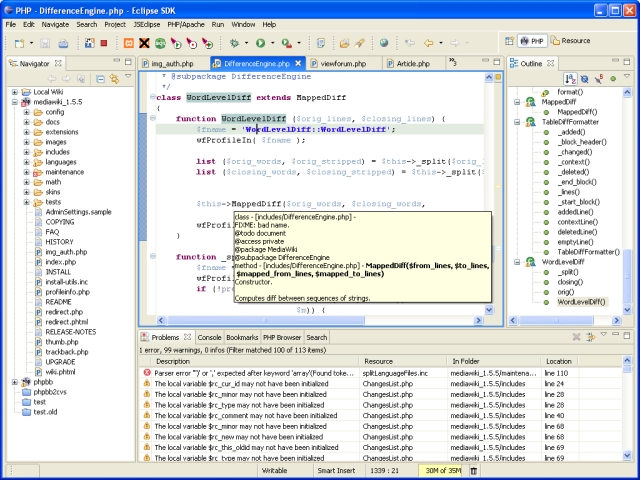
Distributed under the Eclipse open licence [1]
Runs on: Windows, MAC, Linux
EditPlus
A simple and lightweight text editor.
I started using it mainly because of the built-in function to work directly with FTP. It is possible to create multiple FTP profiles (i.e. FTPs). The latest version can also work with SVN. Files are arranged in tabs and it is possible to open them in a browser, which also opens in a tab.
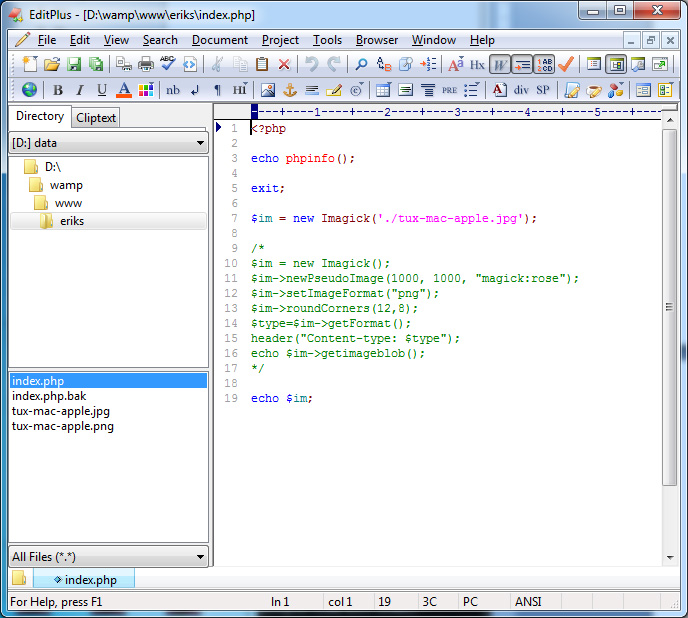
Single-user licence costs $35. [2]
Runs on: Windows, and via Wine also within Linux
Sublime Text 2
Extraordinarily visually polished and pleasant to use. Provides practically all the necessary functionality. Several pleasant extras come with it. A mini-map of the code is shown, manifesting as a thumbnail on the right side that lets you visually assess how large the code is and where the cursor currently is. It is possible to highlight multiple text fragments simultaneously and perform actions on them (e.g. replacement).
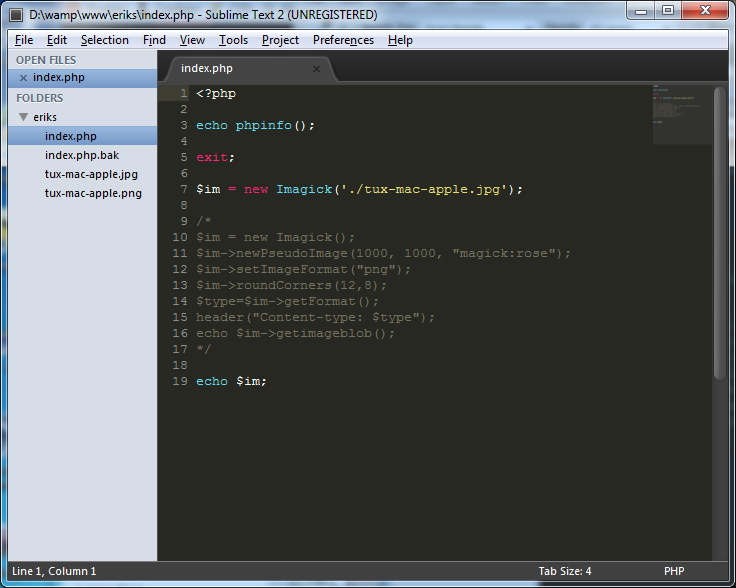
Single-user licence: $59 [3]
Runs on: Windows, MAC, Linux. Notably, both 32 and 64-bit versions are available.
phpStorm
This editor is more than a text editor and more closely resembles an IDE. Considerably lighter than Eclipse, even though functionally they look similar. Compared to Eclipse this looks far more resource-efficient. Slightly less convenient than Eclipse for working with SVN repositories. However, no hassle with UTF-8, which comes automatically (Eclipse occasionally falls back to the system default, i.e. windows-1257). Has Smarty support. Very easy to install and very easy to start creating the first project.
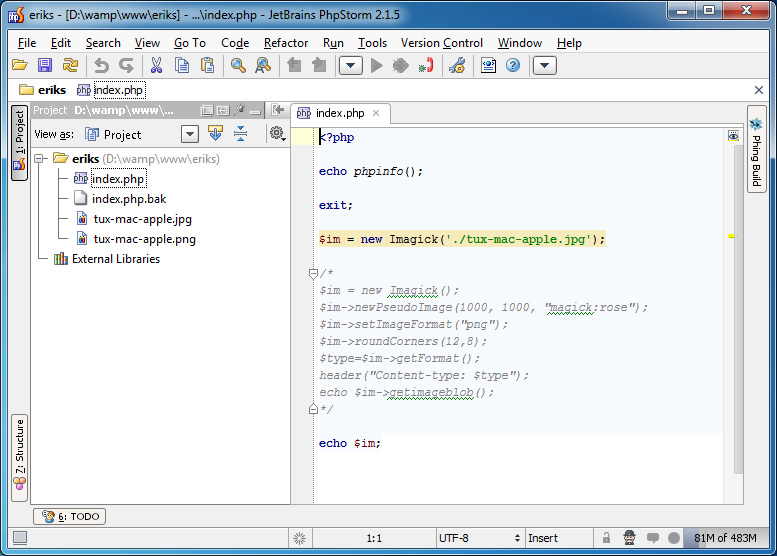
Licence price: commercial - 175 Euro, personal - 87 Euro [5]
Runs on: Windows, OSX, Linux
Notepad++
One of the text editor classics, which is open source. Provides practically all of the previously listed functions. Does not work with projects, although it can open multiple files in separate tabs. I particularly want to highlight the function that allows saving a text file in UTF-8 encoding with or without a BOM signature (all the editors reviewed above add this signature at the start of the file automatically). The downside is that it is not possible to split the interface into two columns to see the directory and file structure.
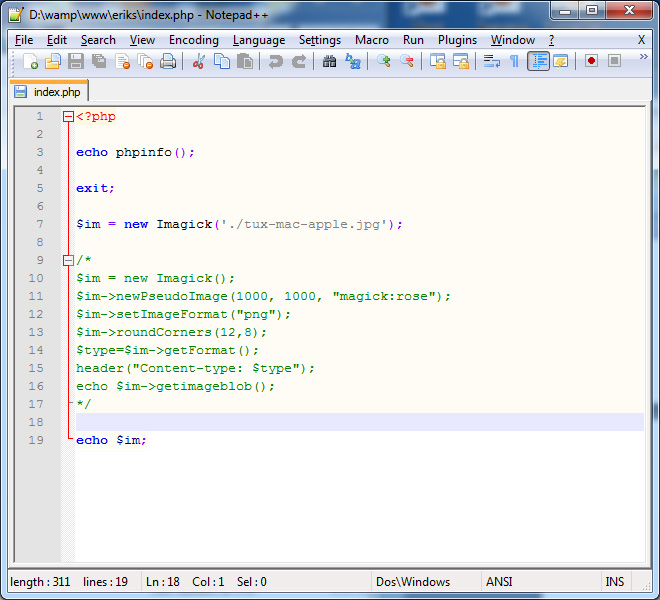
Distributed under the GPL licence [4]
Runs on: Windows
Here is also a list of other possible editors - http://www.php-editors.com/review/
[1] http://www.eclipse.org/
[2] http://www.editplus.com/
[3] http://www.sublimetext.com/
[4] http://notepad-plus-plus.org
[5] http://www.jetbrains.com/phpstorm/
comments